
Customize shipping for every marketplace
Crosslist® lets you create shipping profiles for each marketplace, applying default weights, dimensions, and carriers instantly. Try risk-free with our 3-day money-back guarantee.



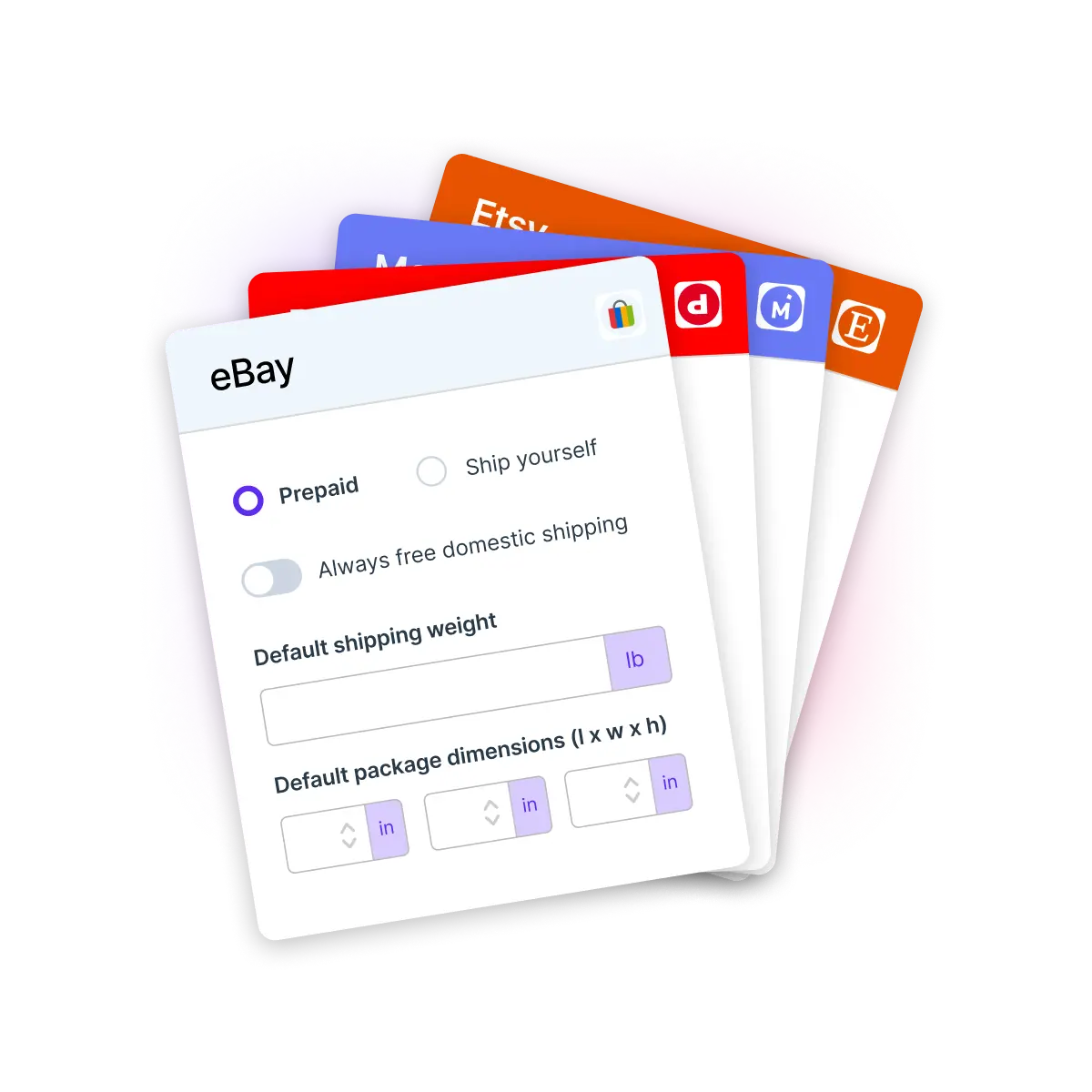
Customize shipping for every marketplace
Crosslist® lets you create shipping profiles for each marketplace, applying default weights, dimensions, and carriers instantly. Try risk-free with our 3-day money-back guarantee.
Customize shipping for every marketplace
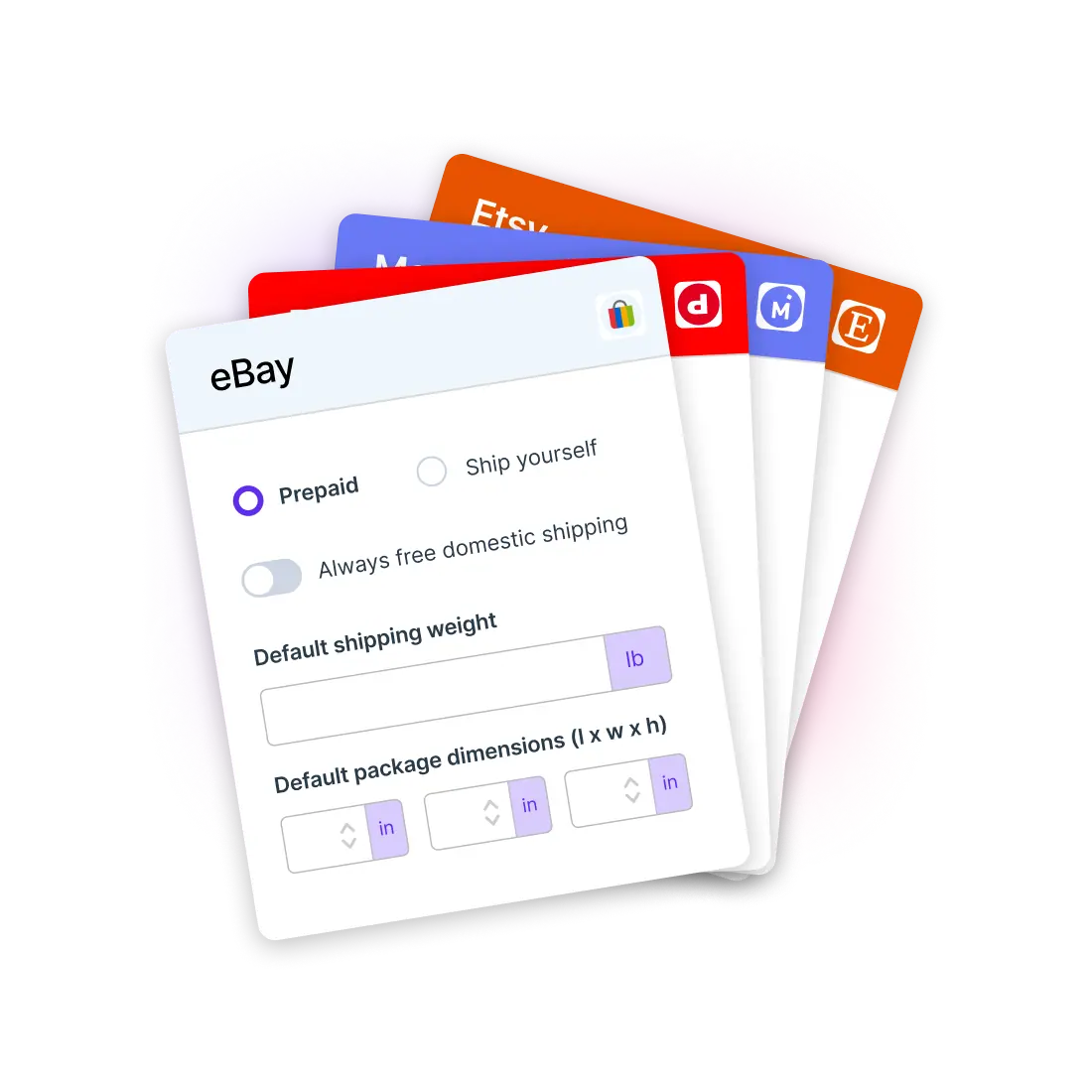
Crosslist® lets you create shipping profiles for each marketplace, applying default weights, dimensions, and carriers instantly. Try risk-free with our 3-day money-back guarantee.
Customize shipping for every marketplace
Crosslist® lets you create shipping profiles for each marketplace, applying default weights, dimensions, and carriers instantly. Try risk-free with our 3-day money-back guarantee.
Customize shipping for every marketplace
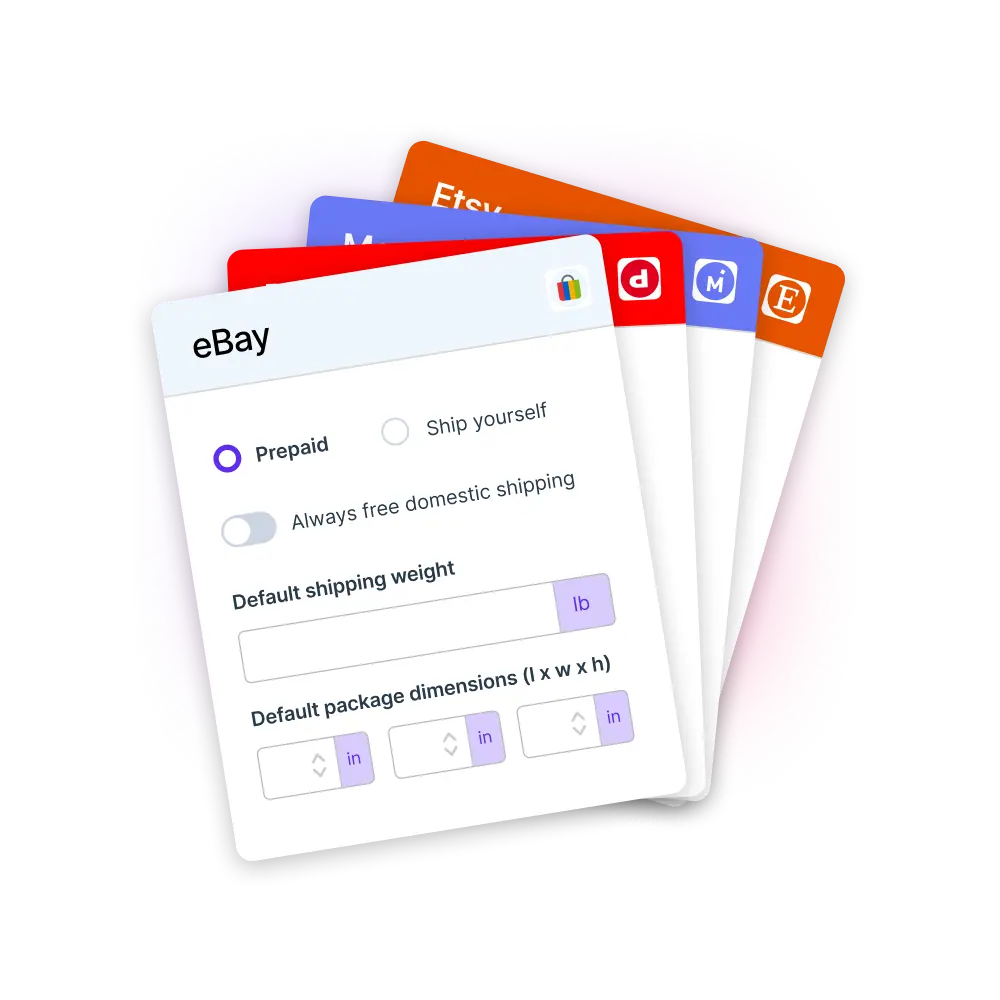
Crosslist® lets you create shipping profiles for each marketplace, applying default weights, dimensions, and carriers instantly. Try risk-free with our 3-day money-back guarantee.
How this feature works
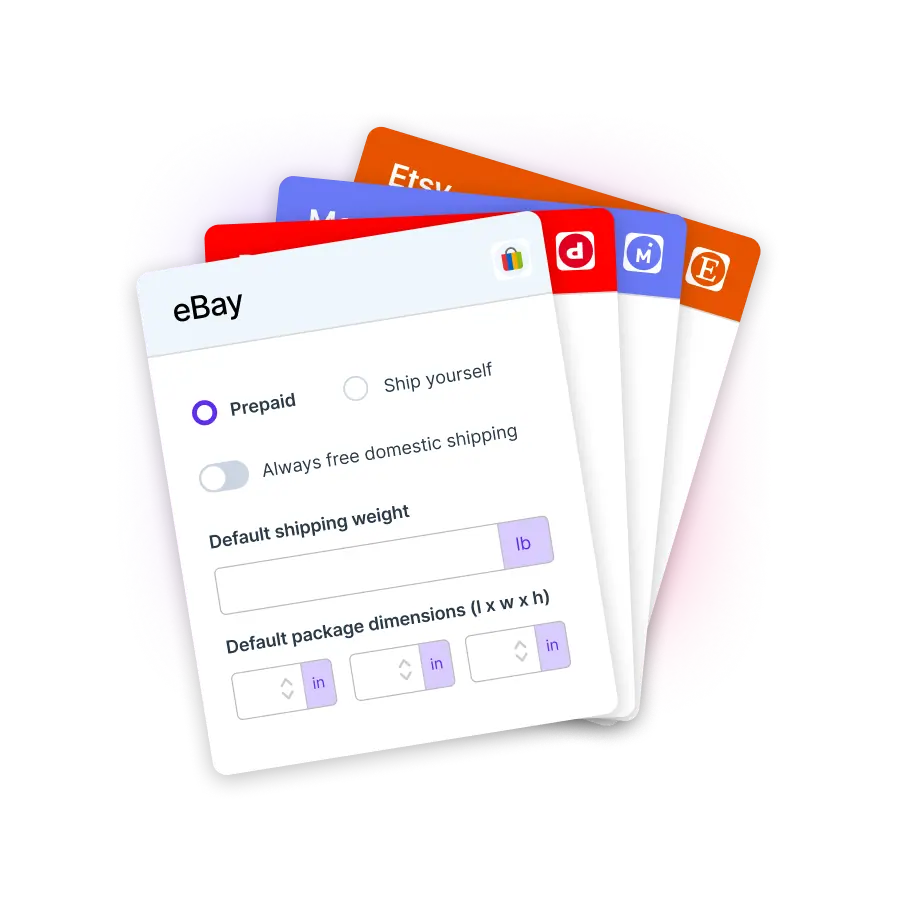
Crosslist® lets you create shipping profiles for every marketplace and apply them automatically to new listings. Set default weights, dimensions and preferred carriers once so you never have to re-enter them again. Want more control? Create multiple shipping profiles per marketplace and choose exactly which one to apply to each listing whenever you need a different shipping strategy.
At a glance...
Create reusable shipping profiles for each marketplace
Set default weights, dimensions and preferred carriers once
Create multiple profiles for the same marketplace
Default profiles auto-apply, with the option to switch in one click
“Shipping used to be the most annoying part of listing for me. Now, everything’s automatic and consistent. I honestly don’t think I could go back.“

Jessica F.
Source: Trustpilot
How this feature works
Crosslist® lets you create shipping profiles for every marketplace and apply them automatically to new listings. Set default weights, dimensions and preferred carriers once so you never have to re-enter them again. Want more control? Create multiple shipping profiles per marketplace and choose exactly which one to apply to each listing whenever you need a different shipping strategy.
At a glance...
Create reusable shipping profiles for each marketplace
Set default weights, dimensions and preferred carriers once
Create multiple profiles for the same marketplace
Default profiles auto-apply, with the option to switch in one click
“Shipping used to be the most annoying part of listing for me. Now, everything’s automatic and consistent. I honestly don’t think I could go back.“

Jessica F.
Source: Trustpilot
How this feature works
Crosslist® lets you create shipping profiles for every marketplace and apply them automatically to new listings. Set default weights, dimensions and preferred carriers once so you never have to re-enter them again. Want more control? Create multiple shipping profiles per marketplace and choose exactly which one to apply to each listing whenever you need a different shipping strategy.
At a glance...
Create reusable shipping profiles for each marketplace
Set default weights, dimensions and preferred carriers once
Create multiple profiles for the same marketplace
Default profiles auto-apply, with the option to switch in one click
“Shipping used to be the most annoying part of listing for me. Now, everything’s automatic and consistent. I honestly don’t think I could go back.“
Jessica F.
Source: Trustpilot
How this feature works
Crosslist® lets you create shipping profiles for every marketplace and apply them automatically to new listings. Set default weights, dimensions and preferred carriers once so you never have to re-enter them again. Want more control? Create multiple shipping profiles per marketplace and choose exactly which one to apply to each listing whenever you need a different shipping strategy.
At a glance...
Create reusable shipping profiles for each marketplace
Set default weights, dimensions and preferred carriers once
Create multiple profiles for the same marketplace
Default profiles auto-apply, with the option to switch in one click
“Shipping used to be the most annoying part of listing for me. Now, everything’s automatic and consistent. I honestly don’t think I could go back.“
Jessica F.
Source: Trustpilot
How this feature works
Crosslist® lets you create shipping profiles for every marketplace and apply them automatically to new listings. Set default weights, dimensions and preferred carriers once so you never have to re-enter them again. Want more control? Create multiple shipping profiles per marketplace and choose exactly which one to apply to each listing whenever you need a different shipping strategy.
At a glance...
Create reusable shipping profiles for each marketplace
Set default weights, dimensions and preferred carriers once
Create multiple profiles for the same marketplace
Default profiles auto-apply, with the option to switch in one click
“Shipping used to be the most annoying part of listing for me. Now, everything’s automatic and consistent. I honestly don’t think I could go back.“
Jessica F.
Source: Trustpilot
Why shipping profiles are a game changer
Set your shipping details once and reuse them everywhere for faster, cleaner, and more consistent listings across all marketplaces.
“I list a lot of similar items, so having default weights apply automatically has made shipping so much faster.“

Curtis A.
Source: Trustpilot
Why shipping profiles are a game changer
Set your shipping details once and reuse them everywhere for faster, cleaner, and more consistent listings across all marketplaces.
“I list a lot of similar items, so having default weights apply automatically has made shipping so much faster.“
Curtis A.
Source: Trustpilot
Why shipping profiles are a game changer
Set your shipping details once and reuse them everywhere for faster, cleaner, and more consistent listings across all marketplaces.
“I list a lot of similar items, so having default weights apply automatically has made shipping so much faster.“
Curtis A.
Source: Trustpilot
Why shipping profiles are a game changer
Set your shipping details once and reuse them everywhere for faster, cleaner, and more consistent listings across all marketplaces.
“I list a lot of similar items, so having default weights apply automatically has made shipping so much faster.“
Curtis A.
Source: Trustpilot
Why shipping profiles are a game changer
Set your shipping details once and reuse them everywhere for faster, cleaner, and more consistent listings across all marketplaces.
“I list a lot of similar items, so having default weights apply automatically has made shipping so much faster.“
Curtis A.
Source: Trustpilot
Before and after using Crosslist®’s shipping profiles
See the difference and how it helps you grow
Without shipping profiles
Re-enter shipping details for every listing
Inconsistent shipping information across platforms
Manually switch settings for different item types
Slow workflow due to repeated shipping input
Easy to make mistakes in shipping fields
Hard to keep profiles aligned across marketplaces
Result: repetitive, inconsistent, error-prone
With shipping profiles
Set shipping once and reuse it everywhere
Keep shipping fully consistent across marketplaces
Choose from multiple profiles per marketplace
List faster with automatic profile application
Eliminate errors with structured shipping data
Hard to keep profiles aligned across marketplaces
Result: fast, consistent, error-free
All the features Crosslist® has to offer
Cross listing
Transfer your listings between 11+ marketplaces in just a few clicks
One dynamic form
Create your listing once, then publish to all major marketplaces
Create listings with AI
Upload a photo and let AI create your entire listing in a few seconds
Autoposting
Publish listings in the background, while you work on other tasks
Relist & delist
Delist and relist with one click to keep your listings fresh and visible
AI pricing assistant
Use AI to suggest the right price based on real-time market insights
Background remover
Remove unlimited photo backgrounds for polished listings
Photo editor
Polish and edit your photos so that your listings stand out and sell faster
Shipping profiles
Set shipping profiles per marketplace and ship how you want
Listing templates
Create reusable listing templates to list faster and stay consistent
Price adjustments
Set different prices or markups for each marketplace to maximize profit
Bulk actions
Bulk edit listings to easily adjust prices, titles, descriptions and more
Smart organization
Easily organize your inventory with custom tags and powerful filters
Update listings
Push edits to your listings across multiple marketplaces in one click
Global presence
Transfer your listings between 11+ marketplaces in just a few clicks
Mobile support
Create and prepare listings using your phone or tablet
Import from CSV
Import your products from a CSV file to create new listings
Quick support
Chat with us and get a helpful reply quickly
“There are so many features I’ve yet to explore, and I know they’ll help my business grow even more.”

Craig R.
Bulk Lot Seller
Before and after using Crosslist®’s shipping profiles
See the difference and how it helps you grow
Without shipping profiles
Re-enter shipping details for every listing
Inconsistent shipping information across platforms
Manually switch settings for different item types
Slow workflow due to repeated shipping input
Easy to make mistakes in shipping fields
Hard to keep profiles aligned across marketplaces
Result: repetitive, inconsistent, error-prone
With shipping profiles
Set shipping once and reuse it everywhere
Keep shipping fully consistent across marketplaces
Choose from multiple profiles per marketplace
List faster with automatic profile application
Eliminate errors with structured shipping data
Hard to keep profiles aligned across marketplaces
Result: fast, consistent, error-free
All the features Crosslist® has to offer
Cross listing
Transfer your listings between 11+ marketplaces in just a few clicks
One dynamic form
Create your listing once, then publish to all major marketplaces
Create listings with AI
Upload a photo and let AI create your entire listing in a few seconds
Autoposting
Publish listings in the background, while you work on other tasks
Relist & delist
Delist and relist with one click to keep your listings fresh and visible
AI pricing assistant
Use AI to suggest the right price based on real-time market insights
Background remover
Remove unlimited photo backgrounds for polished listings
Photo editor
Polish and edit your photos so that your listings stand out and sell faster
Shipping profiles
Set shipping profiles per marketplace and ship how you want
Listing templates
Create reusable listing templates to list faster and stay consistent
Price adjustments
Set different prices or markups for each marketplace to maximize profit
Bulk actions
Bulk edit listings to easily adjust prices, titles, descriptions and more
Smart organization
Easily organize your inventory with custom tags and powerful filters
Update listings
Push edits to your listings across multiple marketplaces in one click
Global presence
Transfer your listings between 11+ marketplaces in just a few clicks
Mobile support
Create and prepare listings using your phone or tablet
Import from CSV
Import your products from a CSV file to create new listings
Quick support
Chat with us and get a helpful reply quickly
“There are so many features I’ve yet to explore, and I know they’ll help my business grow even more.”
Craig R.
Bulk Lot Seller
Before and after using Crosslist®’s shipping profiles
See the difference and how it helps you grow
Without shipping profiles
Re-enter shipping details for every listing
Inconsistent shipping information across platforms
Manually switch settings for different item types
Slow workflow due to repeated shipping input
Easy to make mistakes in shipping fields
Hard to keep profiles aligned across marketplaces
Result: repetitive, inconsistent, error-prone
With shipping profiles
Set shipping once and reuse it everywhere
Keep shipping fully consistent across marketplaces
Choose from multiple profiles per marketplace
List faster with automatic profile application
Eliminate errors with structured shipping data
Hard to keep profiles aligned across marketplaces
Result: fast, consistent, error-free
All the features Crosslist® has to offer
Cross listing
Transfer your listings between 11+ marketplaces in just a few clicks
One dynamic form
Create your listing once, then publish to all major marketplaces
Create listings with AI
Upload a photo and let AI create your entire listing in a few seconds
Autoposting
Publish listings in the background, while you work on other tasks
Relist & delist
Delist and relist with one click to keep your listings fresh and visible
AI pricing assistant
Use AI to suggest the right price based on real-time market insights
Background remover
Remove unlimited photo backgrounds for polished listings
Photo editor
Polish and edit your photos so that your listings stand out and sell faster
Shipping profiles
Set shipping profiles per marketplace and ship how you want
Listing templates
Create reusable listing templates to list faster and stay consistent
Price adjustments
Set different prices or markups for each marketplace to maximize profit
Bulk actions
Bulk edit listings to easily adjust prices, titles, descriptions and more
Smart organization
Easily organize your inventory with custom tags and powerful filters
Update listings
Push edits to your listings across multiple marketplaces in one click
Global presence
Transfer your listings between 11+ marketplaces in just a few clicks
Mobile support
Create and prepare listings using your phone or tablet
Import from CSV
Import your products from a CSV file to create new listings
Quick support
Chat with us and get a helpful reply quickly
“There are so many features I’ve yet to explore, and I know they’ll help my business grow even more.”
Craig R.
Bulk Lot Seller
Before and after using Crosslist®’s shipping profiles
See the difference and how it helps you grow
Without shipping profiles
Re-enter shipping details for every listing
Inconsistent shipping information across platforms
Manually switch settings for different item types
Slow workflow due to repeated shipping input
Easy to make mistakes in shipping fields
Hard to keep profiles aligned across marketplaces
Result: repetitive, inconsistent, error-prone
With shipping profiles
Set shipping once and reuse it everywhere
Keep shipping fully consistent across marketplaces
Choose from multiple profiles per marketplace
List faster with automatic profile application
Eliminate errors with structured shipping data
Hard to keep profiles aligned across marketplaces
Result: fast, consistent, error-free
All the features Crosslist® has to offer
Cross listing
Transfer your listings between 11+ marketplaces in just a few clicks
One dynamic form
Create your listing once, then publish to all major marketplaces
Create listings with AI
Upload a photo and let AI create your entire listing in a few seconds
Autoposting
Publish listings in the background, while you work on other tasks
Relist & delist
Delist and relist with one click to keep your listings fresh and visible
AI pricing assistant
Use AI to suggest the right price based on real-time market insights
Background remover
Remove unlimited photo backgrounds for polished listings
Photo editor
Polish and edit your photos so that your listings stand out and sell faster
Shipping profiles
Set shipping profiles per marketplace and ship how you want
Listing templates
Create reusable listing templates to list faster and stay consistent
Price adjustments
Set different prices or markups for each marketplace to maximize profit
Bulk actions
Bulk edit listings to easily adjust prices, titles, descriptions and more
Smart organization
Easily organize your inventory with custom tags and powerful filters
Update listings
Push edits to your listings across multiple marketplaces in one click
Global presence
Transfer your listings between 11+ marketplaces in just a few clicks
Mobile support
Create and prepare listings using your phone or tablet
Import from CSV
Import your products from a CSV file to create new listings
Quick support
Chat with us and get a helpful reply quickly
“There are so many features I’ve yet to explore, and I know they’ll help my business grow even more.”
Craig R.
Bulk Lot Seller
Before and after using Crosslist®’s shipping profiles
See the difference and how it helps you grow
Without shipping profiles
Re-enter shipping details for every listing
Inconsistent shipping information across platforms
Manually switch settings for different item types
Slow workflow due to repeated shipping input
Easy to make mistakes in shipping fields
Hard to keep profiles aligned across marketplaces
Result: repetitive, inconsistent, error-prone
With shipping profiles
Set shipping once and reuse it everywhere
Keep shipping fully consistent across marketplaces
Choose from multiple profiles per marketplace
List faster with automatic profile application
Eliminate errors with structured shipping data
Hard to keep profiles aligned across marketplaces
Result: fast, consistent, error-free
All the features Crosslist® has to offer
Cross listing
Transfer your listings between 11+ marketplaces in just a few clicks
One dynamic form
Create your listing once, then publish to all major marketplaces
Create listings with AI
Upload a photo and let AI create your entire listing in a few seconds
Autoposting
Publish listings in the background, while you work on other tasks
Relist & delist
Delist and relist with one click to keep your listings fresh and visible
AI pricing assistant
Use AI to suggest the right price based on real-time market insights
Background remover
Remove unlimited photo backgrounds for polished listings
Photo editor
Polish and edit your photos so that your listings stand out and sell faster
Shipping profiles
Set shipping profiles per marketplace and ship how you want
Listing templates
Create reusable listing templates to list faster and stay consistent
Price adjustments
Set different prices or markups for each marketplace to maximize profit
Bulk actions
Bulk edit listings to easily adjust prices, titles, descriptions and more
Smart organization
Easily organize your inventory with custom tags and powerful filters
Update listings
Push edits to your listings across multiple marketplaces in one click
Global presence
Transfer your listings between 11+ marketplaces in just a few clicks
Mobile support
Create and prepare listings using your phone or tablet
Import from CSV
Import your products from a CSV file to create new listings
Quick support
Chat with us and get a helpful reply quickly
“There are so many features I’ve yet to explore, and I know they’ll help my business grow even more.”
Craig R.
Bulk Lot Seller
Frequently asked questions
Everything you need to know about Crosslist®’s shipping profiles
Can I create different shipping profiles for each marketplace?
Yes. Each marketplace has its own shipping fields and requirements, and Crosslist® lets you create profiles tailored to each one.
You can set unique weights, dimensions, carriers, and service levels per marketplace.
Can I have multiple shipping profiles for the same marketplace?
Yes. You can create as many profiles as you need for a single marketplace — useful for heavy items, fragile items, free-shipping listings, or different carriers.
Choose the right profile at the listing level in one click.
Can I set default weights and dimensions?
Yes. You can store default weights, dimensions, and preferred carriers inside each profile so you never need to type them again.
These details fill in automatically when posting.
Do shipping profiles apply automatically when listing?
Yes. Crosslist® automatically applies your default shipping profile for each marketplace when you list.
You can change the default at any time or switch to another profile manually while filling out your listing.
Can I edit a shipping profile later?
Yes. You can update, rename, or change any profile at any time.
All changes will apply to new listings going forward.
Frequently asked questions
Everything you need to know about Crosslist®’s shipping profiles
Can I create different shipping profiles for each marketplace?
Yes. Each marketplace has its own shipping fields and requirements, and Crosslist® lets you create profiles tailored to each one.
You can set unique weights, dimensions, carriers, and service levels per marketplace.
Can I have multiple shipping profiles for the same marketplace?
Yes. You can create as many profiles as you need for a single marketplace — useful for heavy items, fragile items, free-shipping listings, or different carriers.
Choose the right profile at the listing level in one click.
Can I set default weights and dimensions?
Yes. You can store default weights, dimensions, and preferred carriers inside each profile so you never need to type them again.
These details fill in automatically when posting.
Do shipping profiles apply automatically when listing?
Yes. Crosslist® automatically applies your default shipping profile for each marketplace when you list.
You can change the default at any time or switch to another profile manually while filling out your listing.
Can I edit a shipping profile later?
Yes. You can update, rename, or change any profile at any time.
All changes will apply to new listings going forward.
Frequently asked questions
Everything you need to know about Crosslist®’s shipping profiles
Can I create different shipping profiles for each marketplace?
Yes. Each marketplace has its own shipping fields and requirements, and Crosslist® lets you create profiles tailored to each one.
You can set unique weights, dimensions, carriers, and service levels per marketplace.
Can I have multiple shipping profiles for the same marketplace?
Yes. You can create as many profiles as you need for a single marketplace — useful for heavy items, fragile items, free-shipping listings, or different carriers.
Choose the right profile at the listing level in one click.
Can I set default weights and dimensions?
Yes. You can store default weights, dimensions, and preferred carriers inside each profile so you never need to type them again.
These details fill in automatically when posting.
Do shipping profiles apply automatically when listing?
Yes. Crosslist® automatically applies your default shipping profile for each marketplace when you list.
You can change the default at any time or switch to another profile manually while filling out your listing.
Can I edit a shipping profile later?
Yes. You can update, rename, or change any profile at any time.
All changes will apply to new listings going forward.
Frequently asked questions
Everything you need to know about Crosslist®’s shipping profiles
Can I create different shipping profiles for each marketplace?
Yes. Each marketplace has its own shipping fields and requirements, and Crosslist® lets you create profiles tailored to each one.
You can set unique weights, dimensions, carriers, and service levels per marketplace.
Can I have multiple shipping profiles for the same marketplace?
Yes. You can create as many profiles as you need for a single marketplace — useful for heavy items, fragile items, free-shipping listings, or different carriers.
Choose the right profile at the listing level in one click.
Can I set default weights and dimensions?
Yes. You can store default weights, dimensions, and preferred carriers inside each profile so you never need to type them again.
These details fill in automatically when posting.
Do shipping profiles apply automatically when listing?
Yes. Crosslist® automatically applies your default shipping profile for each marketplace when you list.
You can change the default at any time or switch to another profile manually while filling out your listing.
Can I edit a shipping profile later?
Yes. You can update, rename, or change any profile at any time.
All changes will apply to new listings going forward.
Frequently asked questions
Everything you need to know about Crosslist®’s shipping profiles
Can I create different shipping profiles for each marketplace?
Yes. Each marketplace has its own shipping fields and requirements, and Crosslist® lets you create profiles tailored to each one.
You can set unique weights, dimensions, carriers, and service levels per marketplace.
Can I have multiple shipping profiles for the same marketplace?
Yes. You can create as many profiles as you need for a single marketplace — useful for heavy items, fragile items, free-shipping listings, or different carriers.
Choose the right profile at the listing level in one click.
Can I set default weights and dimensions?
Yes. You can store default weights, dimensions, and preferred carriers inside each profile so you never need to type them again.
These details fill in automatically when posting.
Do shipping profiles apply automatically when listing?
Yes. Crosslist® automatically applies your default shipping profile for each marketplace when you list.
You can change the default at any time or switch to another profile manually while filling out your listing.
Can I edit a shipping profile later?
Yes. You can update, rename, or change any profile at any time.
All changes will apply to new listings going forward.
Try risk-free with our 3-day money-back guarantee!
Join 40,000+ sellers who are growing their business with Crosslist®
Try risk-free with our 3-day money-back guarantee!
Join 40,000+ sellers who are growing their business with Crosslist®
Try risk-free with our 3-day money-back guarantee!
Join 40,000+ sellers who are growing their business with Crosslist®
Try risk-free with our 3-day money-back guarantee!
Join 40,000+ sellers who are growing their business with Crosslist®
Try risk-free with our 3-day money-back guarantee!
Join 40,000+ sellers who are growing their business with Crosslist®